Case Study
MateBudget — Budgeting App
A personal budgeting platform designed for clarity: fast transaction entry, meaningful categories, analytics dashboards, and exports — built with a maintainable structure that scales cleanly.
Project type
Web application
Focus
Maintainable structure + analytics
Core features
Transactions • Categories • Dashboards • Exports
Delivery
Iterative builds + handover notes
The problem
Most budgeting tools fail in one of two ways: the workflow is too slow for daily use, or the system becomes hard to maintain once analytics, categories, and exports are added. The goal was a platform that feels simple to use — while keeping a clean codebase underneath.
The solution
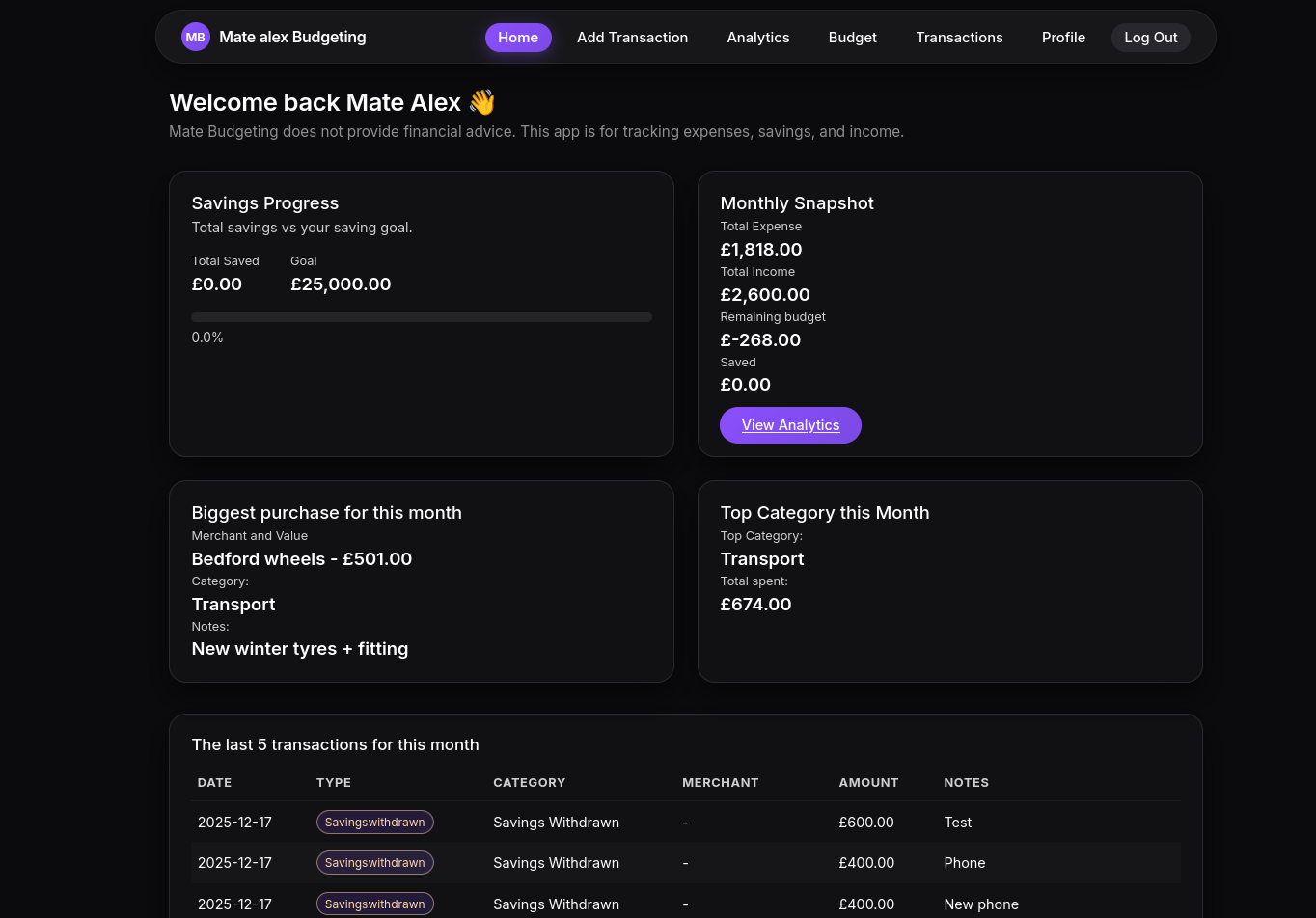
MateBudget is a structured budgeting web app that keeps the daily flow fast: add transactions, review totals, track categories, and view analytics. The backend and data model were designed from day one to support reporting and future upgrades.
Key features
- Fast transaction entry with categories and notes
- Monthly overview: income, expenses, savings, and remaining balance
- Analytics view for trends and category breakdown
- Export-ready data (CSV/PDF ready structure)
- Scalable structure: routes separated, predictable templates, clean helpers
Architecture & database
Designed to stay readable as features grow — predictable modules, consistent naming, and a relational structure built for analytics.
Modules
- auth (login/session)
- transactions (CRUD + filters)
- dashboard (monthly totals + summaries)
- analytics (charts + breakdowns)
- utils (formatters, validators)
Database tables
- users
- accounts
- transactions
- categories
- monthly_summary
Outcome
A budgeting system that’s simple to use daily, while staying maintainable as features expand. The structure supports future additions like recurring transactions, multi-account net worth, and deeper reporting without rewriting everything.
Video
Short demo (optional)
Add a short walkthrough video to show the flow. (Works on GitHub Pages.)
Gallery
Screens
Selected screens across the core workflow: dashboard, transactions, analytics, and exports.
Want a build with this level of structure?
Send your goal + timeline. I’ll reply with next steps and a clear plan.